UE4 - Change the exit key for PIE (Play In Editor)
April 10, 2026
An Escaping Problem
When navigating menus and sub menus in a game, typically the Esc key is used. This could be or going back a menu or closing a menu. This starts to become an issue when you are playing and testing in the editor. It will be difficult to test your game menus, with a keyboard as your main controller. At this point you want to change which key is responsible for ending the game instance.
Let’s Rebind That Key
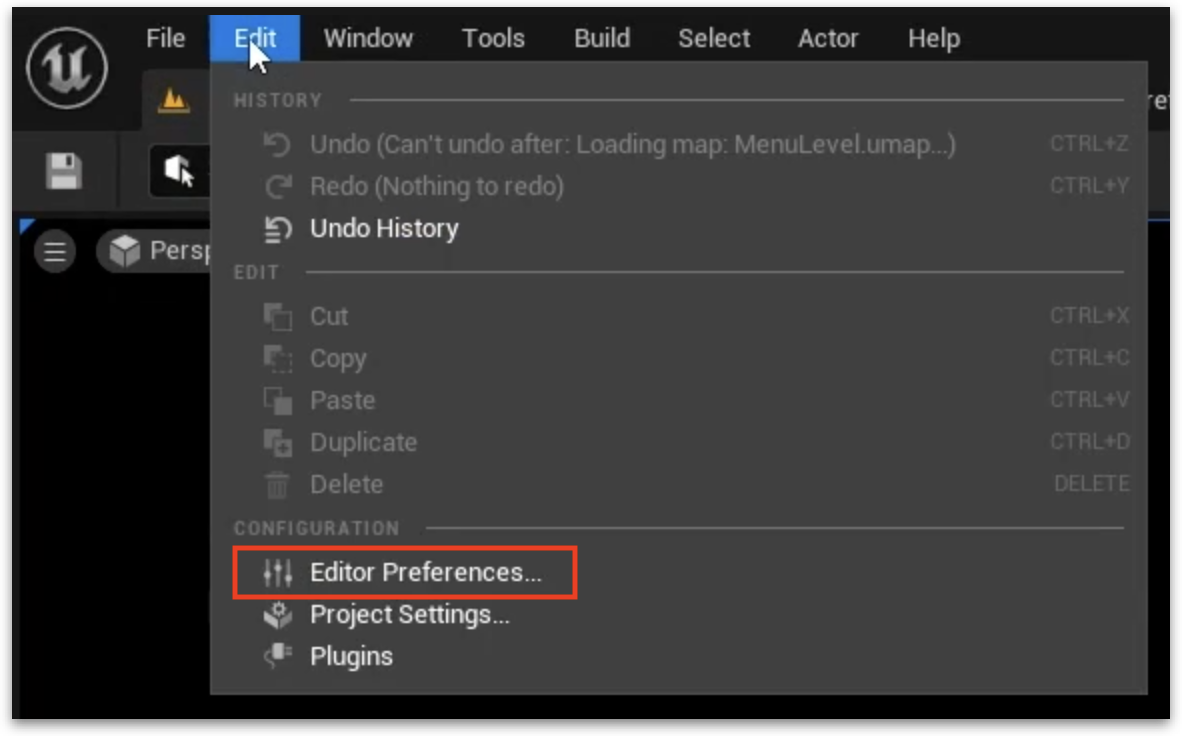
- At the top menu bar, click Edit, and then click Editor Preferences.
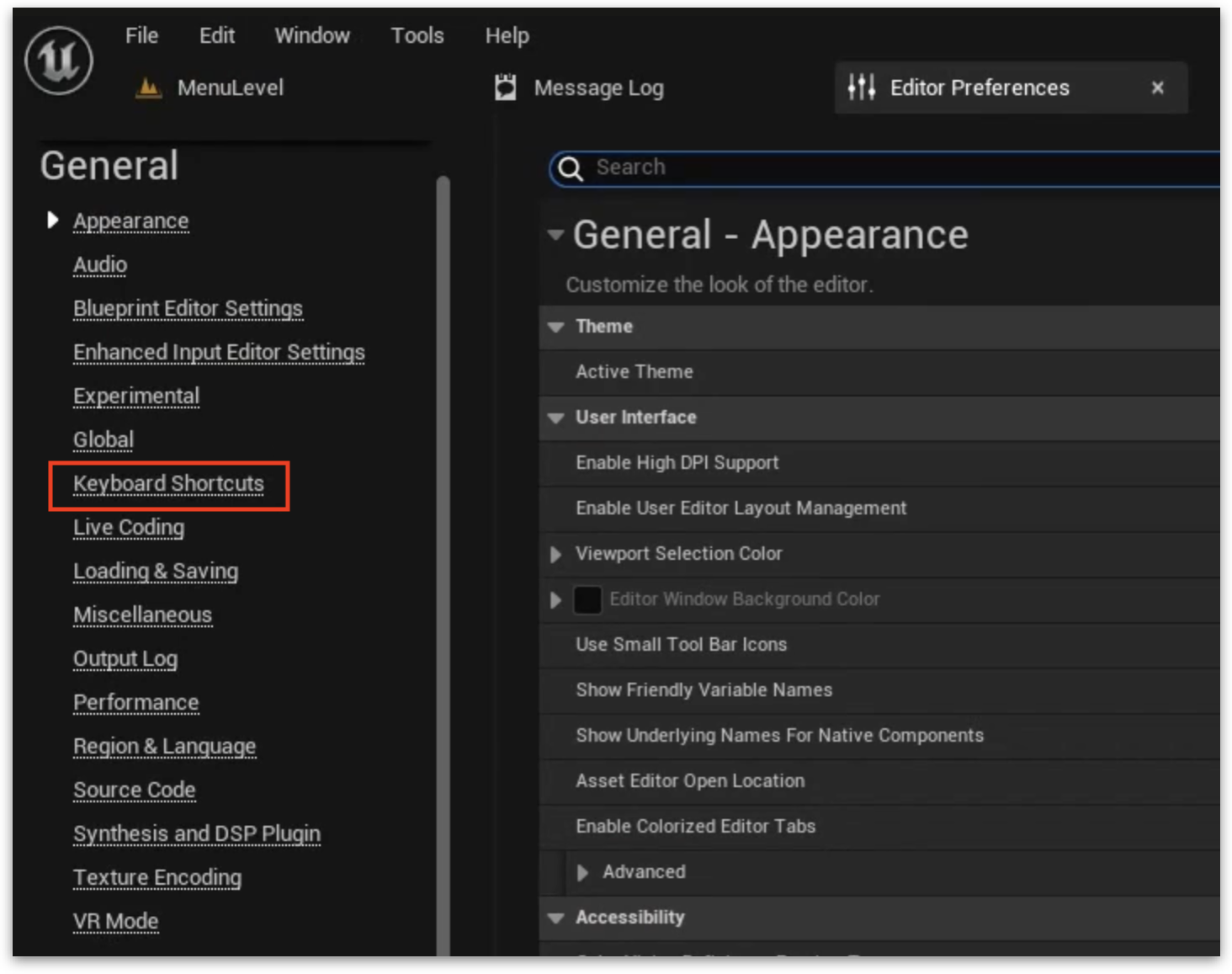
- On the right side navigation list, find and click Keyboard Shortcuts.
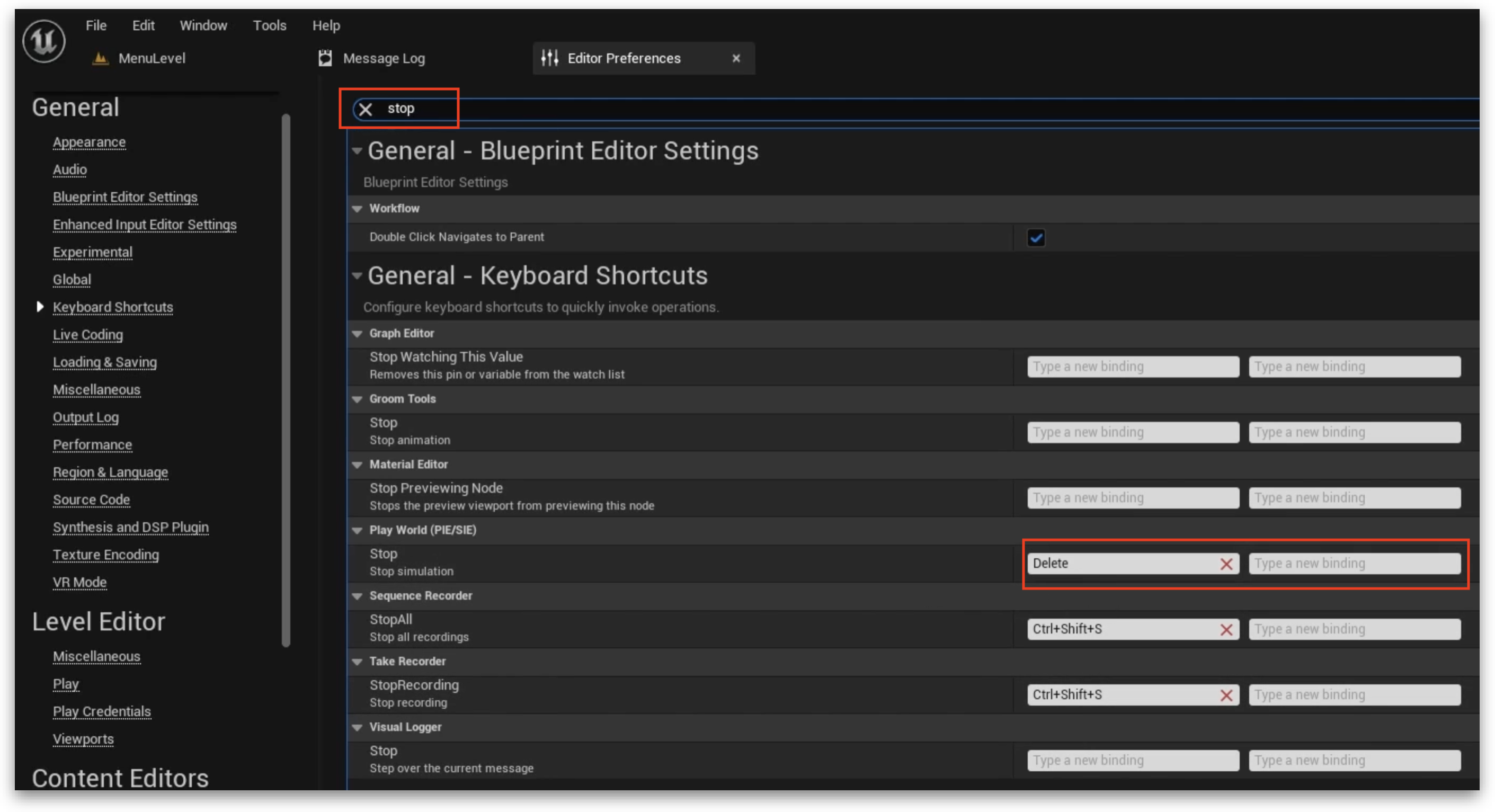
- At the top, use the search bar and enter ‘stop’.
- Find Play World (PIE/SIE) in the filtered list below.
- You will see the Esc key binding. Click on the second box and press any key to rebind.
Think twice
You need to be careful when deciding which new key to use. Ideally, you would rebind to a key that is very unlikely to be used in the game. Avoid all letters and numbers. My recommendation would be the Delete key.